3.2Active Directory basics & the domain
Managing ten machines by hand is tedious; managing a hundred that way is impossible. The answer is a directory. Active Directory (AD) is Microsoft's directory service: it stores accounts, computers, groups and their rights in one central place, and organizes them into a domain. Instead of a separate local account on every PC, users have one domain account that works across the whole environment, and administrators manage everyone and everything from a single console. This is the shift from configuring machines one by one to governing the estate as a whole.
A directory centralizes two big things: authentication (proving who you are) and administration (managing accounts, computers and access). Objects are arranged in organizational units (OUs) that mirror the company structure, and groups gather users for permissions and policies. Joining a computer to the domain brings it under central management, ready to receive settings and rules automatically (that is the job of Group Policy, next). You do not need to be an AD architect to work in IT, but understanding the domain model — central identity, central control — is essential, because so much of enterprise administration, and its cloud successor (Entra ID), is built on exactly these ideas.
Section vocabulary
- Directory service
- A central store of accounts, computers, groups and rights for an organization.
- Active Directory (AD)
- Microsoft's directory service, organizing objects into a domain.
- Domain
- A managed group of accounts and computers under one central administration.
- Organizational unit (OU)
- A container that arranges directory objects to mirror the company's structure.
- Domain join
- Bringing a computer under the domain's central management.
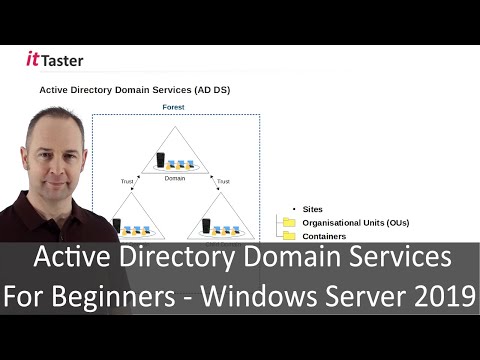
What is Active Directory for?
In practice — Model a small domain
- Sketch a domain for a small company: OUs for departments, and groups for roles.
- Place a few sample users into the right OUs and groups.
- Explain what a domain account gives a user that ten separate local accounts would not.
- Note what changes for a PC the moment it is joined to the domain.
Key takeaways
- A directory centralizes accounts, computers, groups and rights — managing the estate, not each machine.
- Active Directory organizes objects into a domain; one domain account replaces many local ones.
- OUs mirror the org; groups gather users for permissions and policies.
- Joining a PC to the domain brings it under central management, ready for automatic settings.
Frequently asked questions
What problem does Active Directory actually solve?
It solves the impossibility of managing many machines and users individually. Without a directory, every computer has its own local accounts, every password is managed separately, and every access change must be repeated machine by machine — unworkable beyond a handful of PCs. Active Directory centralizes identity and administration: one account per person that works everywhere, one place to reset passwords, disable a departing employee, or grant access, and one point from which settings and security rules are pushed out. It turns « configure each machine » into « govern the whole environment », which is the entire point of enterprise administration.
Is Active Directory still relevant now that everything is moving to the cloud?
Yes, though the landscape is shifting. Many organizations still run on-premises Active Directory, and countless others run a hybrid setup where AD is synchronized with the cloud identity service, Microsoft Entra ID. The concepts — central identity, groups, policies, least privilege — carry directly into the cloud world, so learning AD is not wasted even where the future is cloud-first. Entra ID is essentially the cloud evolution of the same idea, and the MFA and identity topics later in this guide build on it. Understanding the classic domain model makes the cloud version far easier to grasp.