2.3Network equipment (modem, switch, router, Wi-Fi)
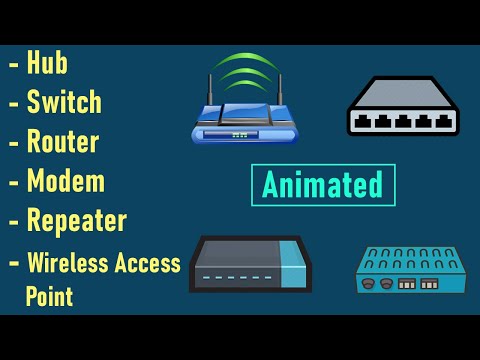
A working network is a small team of devices, each with one job. A modem terminates the line from your internet provider and turns it into something your network can use. A router connects different networks and forwards traffic between them — typically your local network (LAN) and the internet (WAN); it is the default gateway, assigns addresses via DHCP, and performs NAT to share one public address. A switch connects devices within the local network, sending each frame only to the port that needs it. An access point adds Wi-Fi, letting wireless devices join the wired network.
In small setups these roles are often combined into a single box that is modem, router, switch and access point at once — convenient, but worth understanding separately, because knowing which function is failing tells you where to look. If two machines on the same switch cannot see each other, suspect the switch or cabling; if the whole site loses internet, suspect the modem or the provider line; if only Wi-Fi devices drop, suspect the access point or wireless interference. Remembering the simple mantra — the modem translates the line, the router directs and secures traffic, the switch organizes the wired core, the access point serves wireless — keeps you oriented when a « network problem » lands on your desk.
Section vocabulary
- Modem
- The device that terminates the provider's line and converts it into a usable network signal.
- Router
- Connects different networks (LAN and internet) and forwards traffic; usually the gateway, DHCP server and NAT.
- Switch
- Connects devices within the local network, sending traffic only to the port that needs it.
- Access point
- Adds Wi-Fi, letting wireless devices join the wired network.
- Box (all-in-one)
- A single unit that combines modem, router, switch and access point in small setups.
Which device connects a local network to the internet and routes between networks?
In practice — Map the equipment
- Sketch a small office network: line in → modem → router → switch → devices, plus an access point for Wi-Fi.
- Label which device is the default gateway and which hands out addresses.
- For each device, note one symptom that would point to it failing.
- Identify which functions your own home box combines into one unit.
Key takeaways
- Modem = translates the provider line; router = connects networks and directs traffic (gateway, DHCP, NAT).
- Switch = connects devices inside the LAN; access point = adds Wi-Fi.
- Small setups combine all four functions in one box — but the roles still help you diagnose.
- Match the symptom to the device: switch/cabling, modem/line, or access point/wireless.
Frequently asked questions
What is the real difference between a switch and a router?
A switch connects devices within a single local network and moves traffic between them; a router connects different networks and moves traffic between them. Put simply, a switch works inside the LAN, while a router sits at the border between the LAN and other networks such as the internet. The router is the one that assigns local addresses (DHCP), performs NAT to share a public address, and acts as the default gateway. A common home box hides both inside one unit, which is why the distinction blurs — but on any larger network you will see separate switches expanding the wired core and a router governing the exits.
Why is my Wi-Fi weak in some rooms even though the internet plan is fast?
Internet speed and Wi-Fi coverage are two different things. Your plan governs how fast data enters the building; the access point governs how well that signal reaches each room. Walls, distance, interference from other networks and appliances, and the access point's placement all degrade wireless coverage, regardless of how fast the line is. Fixes include repositioning the access point centrally and high, reducing obstacles, changing the wireless channel to avoid interference, or adding additional access points (or a mesh system) for larger areas. A weak-Wi-Fi complaint is almost never a « slow internet » problem — it is a coverage problem.