2.4Network troubleshooting (ping, ipconfig, traceroute)
When connectivity breaks, a few command-line tools let you find the fault fast — and the trick is to work from the closest thing to the farthest. Start local: ipconfig shows the machine's own IP address, mask, gateway and DNS. If that configuration is wrong or missing (say a 169.254 address), the problem is right here and you go no further until it is fixed. Next, ping tests whether a target responds: ping the gateway to confirm the local network is reachable, then ping an external address to test internet reachability, then ping a name to test DNS as well.
If pings by name fail but pings by address succeed, DNS is the culprit. If the local network is fine but a distant service is unreachable, tracert (traceroute) shows the path the packets take, hop by hop, revealing where the journey stalls — on your side, at the provider, or beyond. This outward-moving method — my own config (ipconfig) → my gateway (ping) → the internet (ping) → names (ping) → the path (tracert) — turns a panicky « the network is down » into a short, ordered series of yes/no questions, each of which eliminates a whole category of causes. These commands exist on every OS in some form, and mastering the sequence is one of the highest-value skills in support.
Section vocabulary
- ipconfig
- Command that shows the machine's own IP configuration (address, mask, gateway, DNS).
- ping
- Command that tests whether a target responds on the network.
- tracert / traceroute
- Command that shows the hop-by-hop path packets take to a destination, revealing where it stalls.
- Gateway ping
- Pinging the default gateway to confirm the local network is reachable.
- Outward-in method
- Diagnosing from the local machine to the wider network, step by step.
Which command tests whether a machine responds on the network?
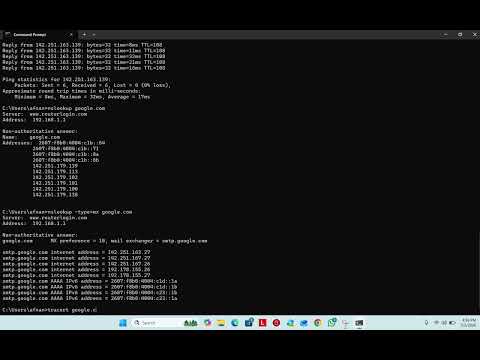
In practice — Diagnose from local to remote
- Run ipconfig and confirm the machine has a valid address, mask, gateway and DNS.
- Ping the gateway (local network), then an external IP (internet), then a domain name (DNS).
- From the results, state where the failure sits: local config, local network, internet, or DNS.
- If a remote service is unreachable, run tracert to see at which hop the path breaks.
Key takeaways
- Work outward: ipconfig (my config) → ping gateway → ping internet → ping a name → tracert (the path).
- A wrong or missing local config (169.254) means fix it here before going further.
- Ping by name fails but by address works → DNS problem.
- tracert reveals where along the path packets stop — your side, the provider, or beyond.
Frequently asked questions
In what order should I run these commands?
Follow the network outward from yourself. First ipconfig, to confirm your own machine even has a sane address, mask, gateway and DNS — if not, the fault is local and nothing else matters yet. Then ping your gateway: success means your local network is reachable. Then ping an external IP address: success means the internet is reachable. Then ping a domain name: if the IP worked but the name fails, DNS is the problem. Finally, if a specific distant service is unreachable, use tracert to see where the path breaks. Each step confirms one link in the chain, so you always know exactly how far connectivity reaches.
A ping fails — does that always mean the target is down?
Not necessarily. Many servers and firewalls are configured to ignore ping (ICMP) for security, so a device can be perfectly alive yet not answer a ping. That is why ping is a clue, not a verdict: a successful ping proves reachability, but a failed ping only tells you that this particular test did not get a reply. Combine it with other evidence — can you reach the service on its actual port, does another host respond, does tracert reach the destination? — before concluding something is truly down. Treat ping as the first, cheapest question, not the final answer.